Incremental Formalization in Note Taking
“Ah, you’re a SilverBullet user I see. Sweetsies! Always planned to play with that.”
“Yeah, I live in this tool.”
“Noice, noice. Did you adopt any particular note taking strategy? Zettelkasten, PARA, something else fancy sounding?”
“Incremental Formalization, of course.”
“I see, incremental fornization huh. Sounds very smart. I should look into that. And SilverBullet is the tool for this?”
“SilverBullet is The Way1.”
In the mid ‘90s, Shipman and McCall ran into an issue. Computer systems, specifically information systems, were built, but not enthusiastically adopted. The more structure was forced on its users — fine grained data fields, strong validation — the more people started to resist and circumvent, and shadow IT would emerge. People resisted the excessive structures forced on them.
So, they developed a different approach: Incremental Formalization. The idea (or at least my translation of it) is to start with a system that is relatively free form, and as patterns emerge, to start to codify those patterns and slowly enforce them, for better data quality.
A related strategy is desire paths. The idea is to, rather than pre-designing all paths in a park (for instance) — you put in no paths at all initially. Then, you wait a few years to see where people tread the most (this will become visible), and then cement those naturally evolved paths.
But Incremental Formalization sounds smarter. You can casually drop that term in a conversation in tandem with a well-practiced sophisticated facial expression, and people will be very impressed (albeit confused).
So, what does this approach look like in the real world, specifically, in note taking?
Principles
The TL;DR of the whole approach (as you may have guessed) is:
Start messy, then incrementally start to add more structure if and where it makes sense.
When using SilverBullet as a tool for this (as has been confirmed to be The Way1), the flow would be to start out in either a Quick Note or Journal page, and extract dedicated “topic pages” from there, on demand; linking them, and eventually annotating (some) of them with increasingly rich meta data.
The classic “look at me, I’m building my personal knowledge management system” trap that this approach avoids is advocating for a hard-pass on premature design. There is no need to spend hours building the perfect folder structure. Likely, you need no, or few folders (beyond the default Quick Note Inbox/, and Journal’s Journal/). SilverBullet doesn’t have a file tree by design2, because you should not be distracted by the urge to neatly organize things too much. Go with the flow peoples. A (largely) flat name space is fine. If it’s good enough for Wikipedia, it’s good enough for you.
Let’s walk through some levels of this idea with an example.
Level 1: Dump It
Open a Quick Note, or add an item to your Journal and just brain dump stuff on to the page. Stream of consciousness style.
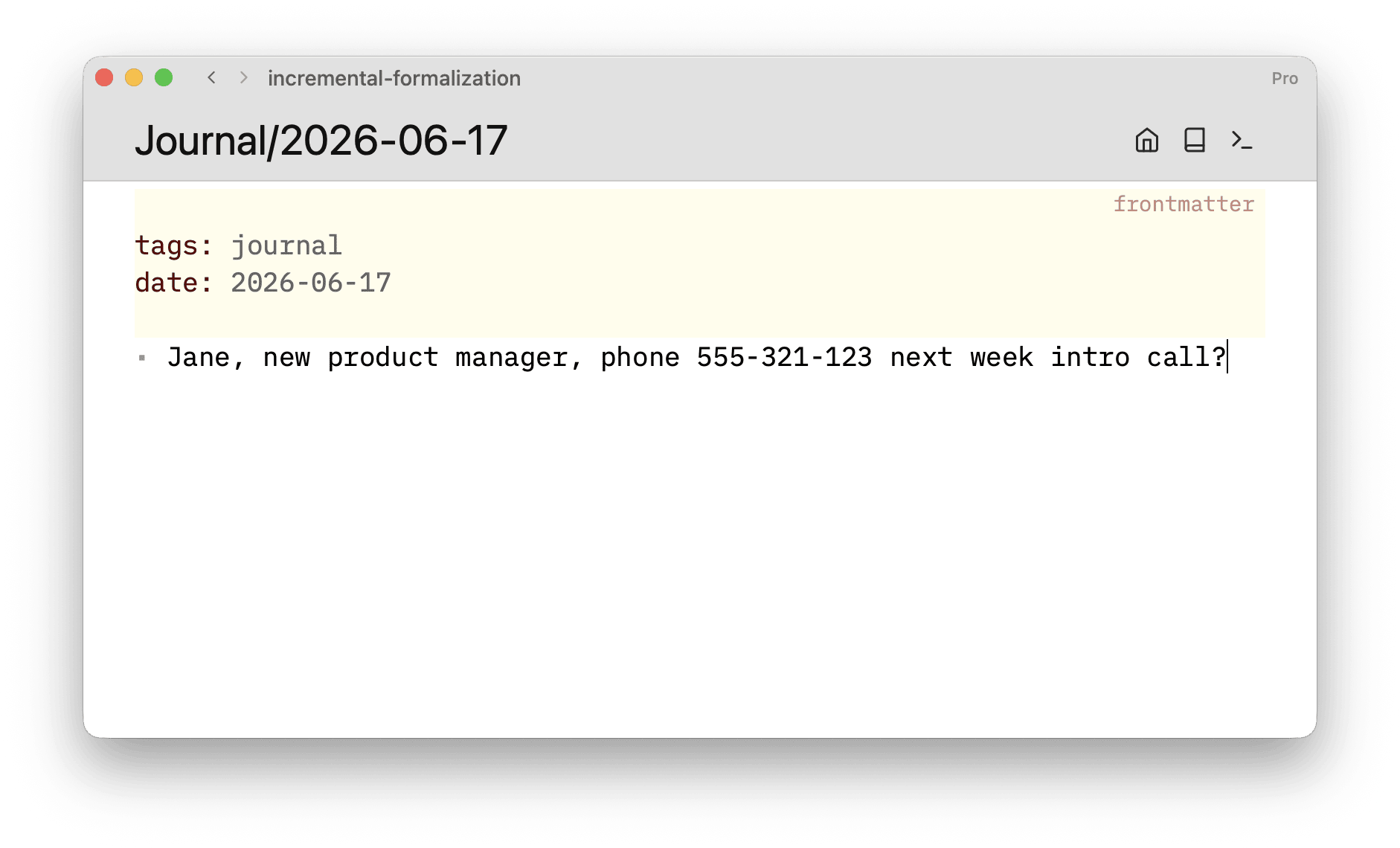
And another.
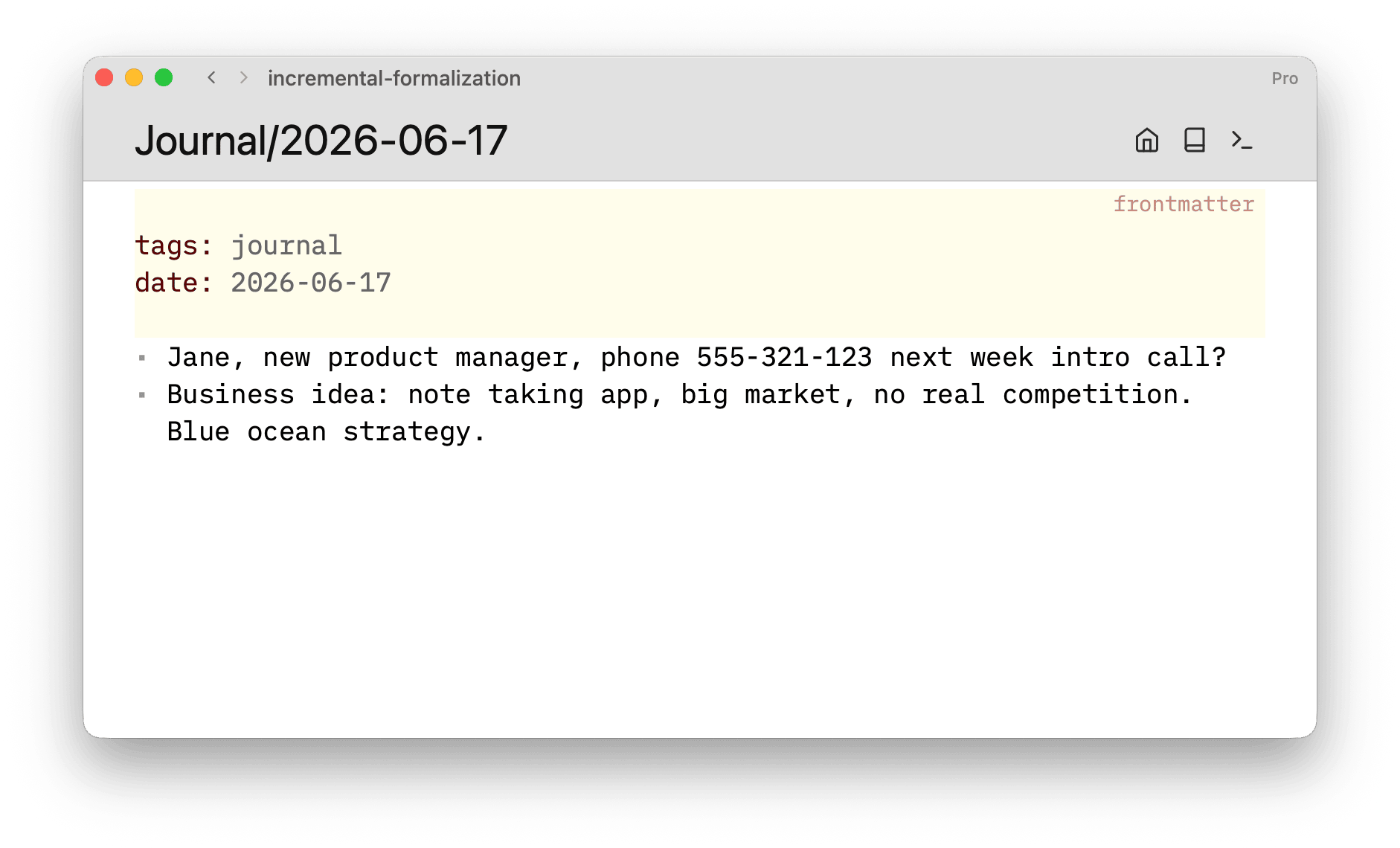 Realistically, some of these notes will end up write-only. You’ll never look at them again. You were drinking. You had a seemingly impressive insight during your shower. It’s ok. Not everything has to be brilliant.
Some notes could benefit from a tad more investment, though. What would that look like?
Level 2: Naming and Tagging
That business idea was obviously silly, but the note on Jane warrants a bit more attention.
If you hammered your note on Jane down as an (automatically named) quick note, you simply rename the page to “Jane”. If it was part of a journal page outline, you select it, run the Page: Extract command, and it will move the content of it to a new page named “Jane” that way (leaving a link in its place in your journal).
You now have a new page for Jane. Nice, but just leaving it like that makes you slightly uncomfortable. The thing that bothers you is that Jane is not a “page”, it’s something more specific: a person, so let’s tag it that way.
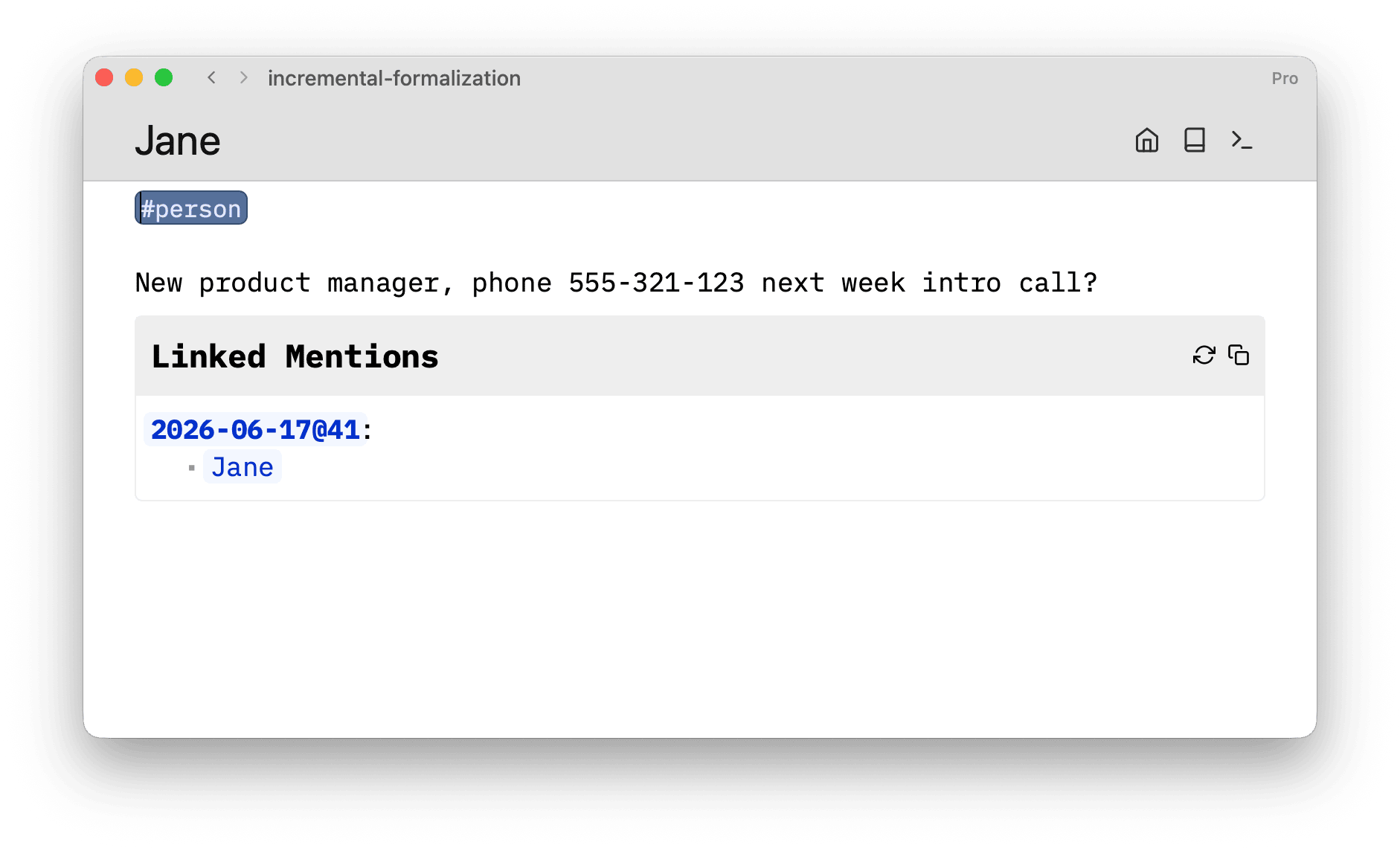 The act of extracting the page from your journal replaced the text with a link automatically. In your Linked Mentions you can now see that your first interaction with Jane was documented to be on the 17th of June, while low on details.
A quick aside on date formats: Objectively, the only correct, unambiguous, sane and conveniently alphabetically orderable format for dates is YYYY-MM-dd, so we’re not going to argue about that.
Since Jane wasn’t the first “person” you ever encountered, clicking on the #person tag will show you a list of other encounters with this species:
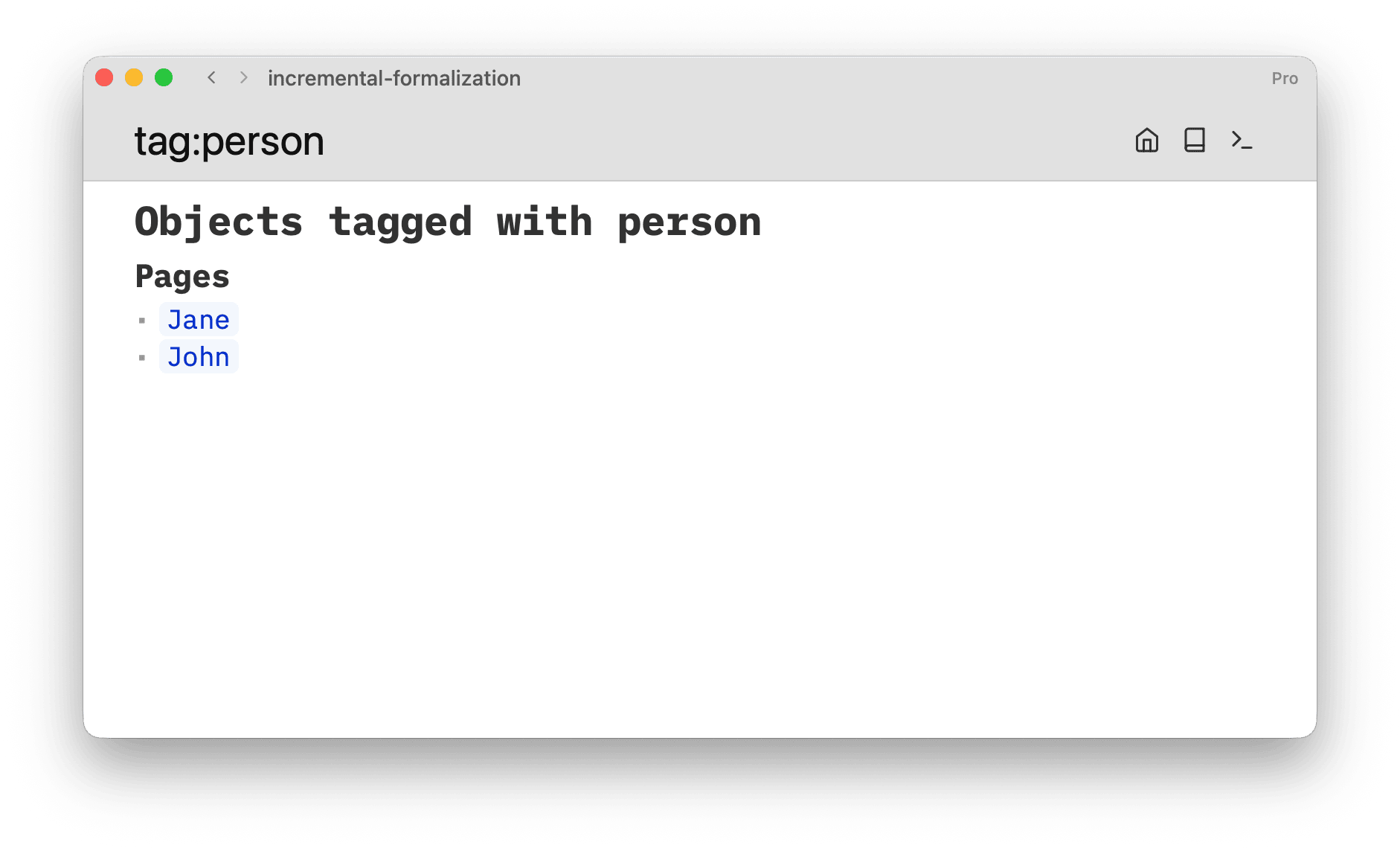 The first glimmers towards an exit from pure chaos are emerging.
Level 3: Linking
So you had your intro call with Jane and wrote down some notes on your journal page as an outline. Since Jane now has a page (and therefore she now officially exists), you referenced her with a [[Jane]] wiki link. As John came up during your conversation as well, you link him as well. There was even an action point discussed, so this is included as a task:
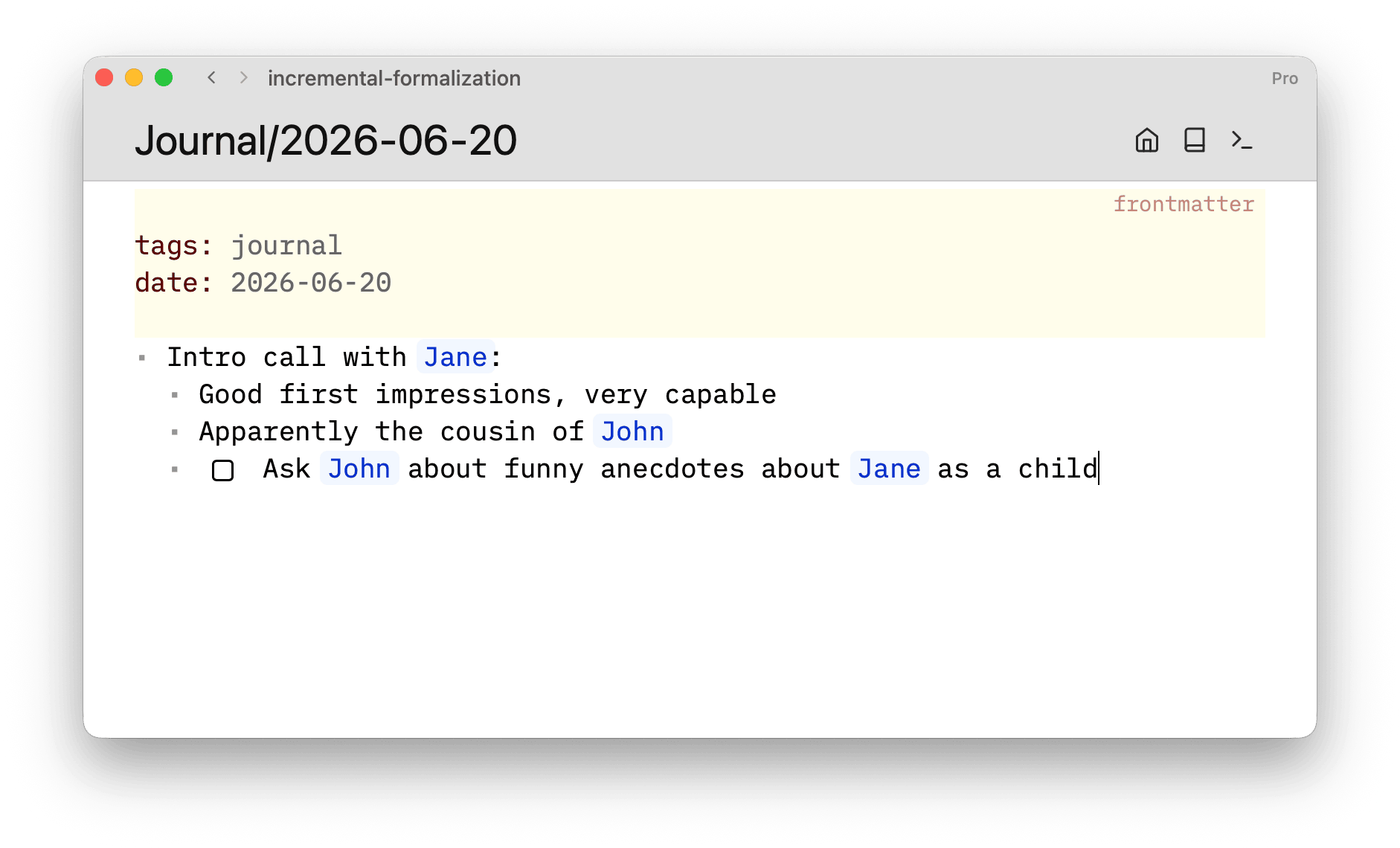 For sure, using links is useful for navigation. However, you also get a few additional things for free when you do this.
Let’s navigate to the Jane page and have a look at the Linked Mentions section again:
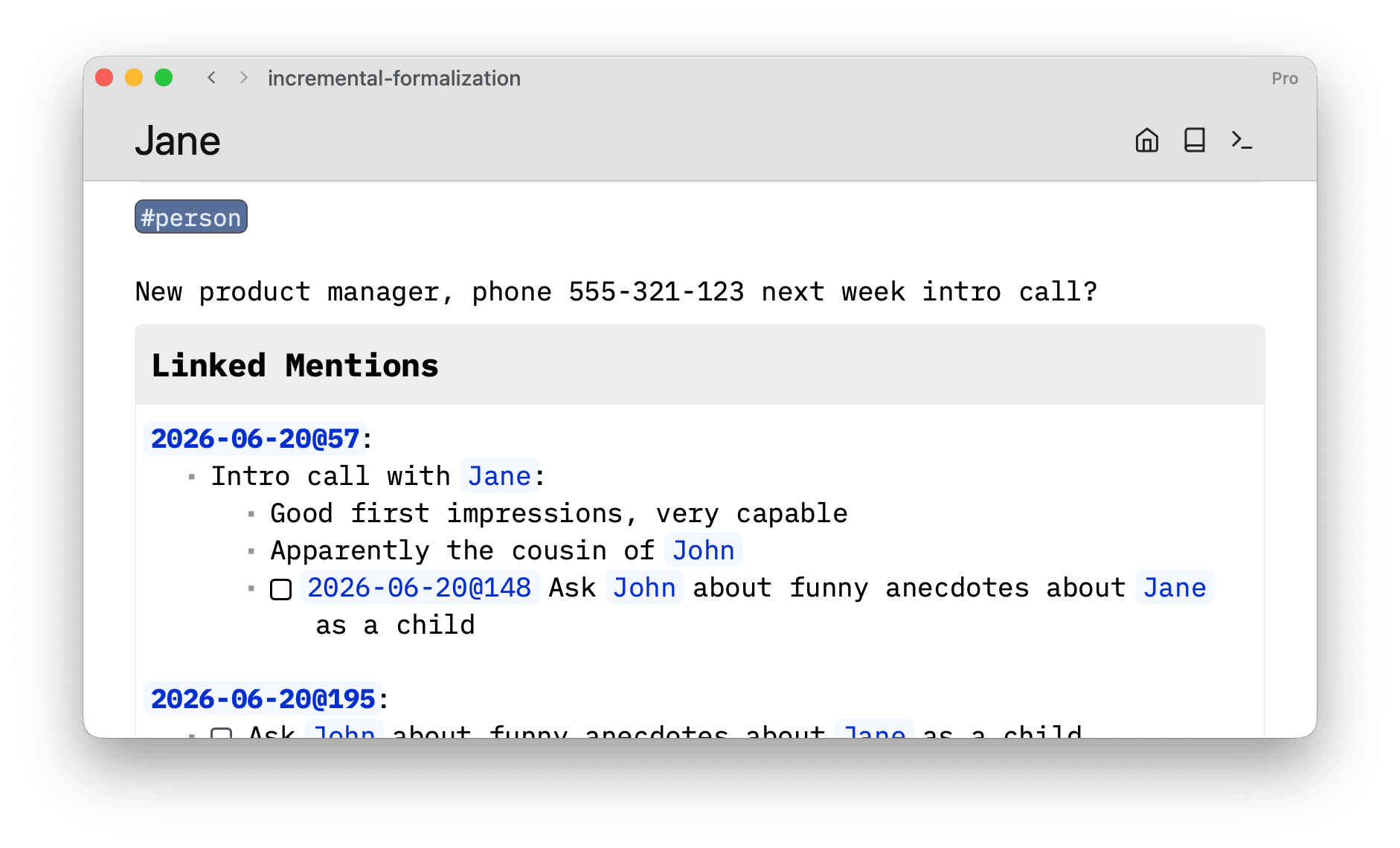 Now both your encounters with Jane are listed. However, for the more recent one, some valuable context is captured: SilverBullet infers that because of how you structured your outline and mentioned Jane at a top-level list item, that probably everything nested underneath that item is going to be relevant, and indeed it is!
Automatically a reverse chronological list of content related to Jane is being collected here, simply through mentioning Jane in a link, and incrementally adding a bit of structure to your outline (using indented sub-items).
But there’s more, let’s see what happens when we jump to John‘s page:
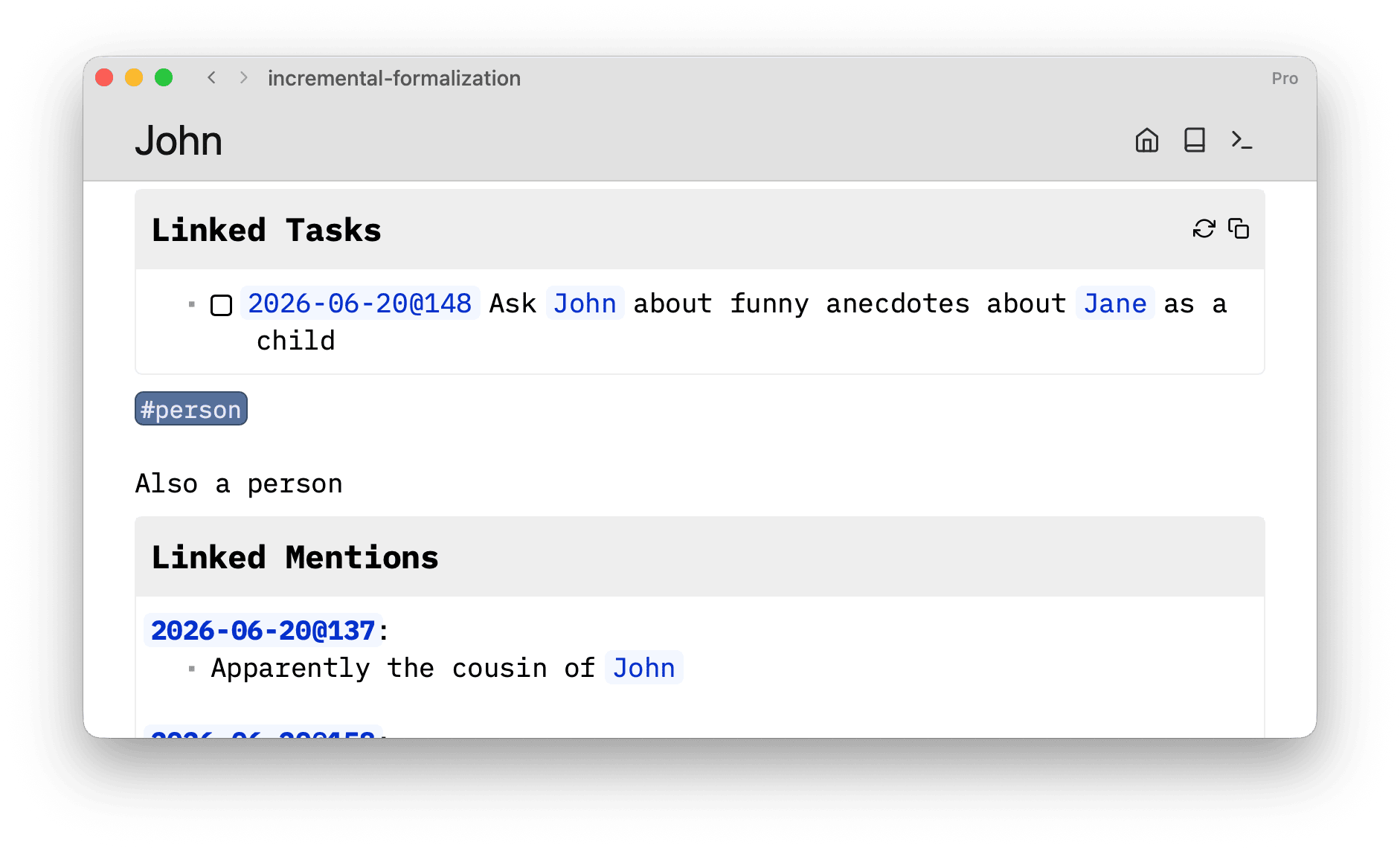 On John’s page (and Jane’s page as well, but I didn’t show it), there is now a “Linked Tasks” widget at the top, which shows open (so incomplete) tasks that mention John and are therefore likely relevant to him. This is helpful, because it can serve as a reminder that you still have tasks related to with John out standing — in this case related to childhood anecdotes to collect. Task done? Tick the box, the linked task will be updated in the journal page where it originally appeared, and it will disappear from this list.
Level 4: Into the Meta
As you meet more people during your career, the number of #person pages increases. You realize it may be useful to have lists of people that worked in specific companies.
Your first attempt at this is to simply create a page with the company name and links to employees you’ve encountered:
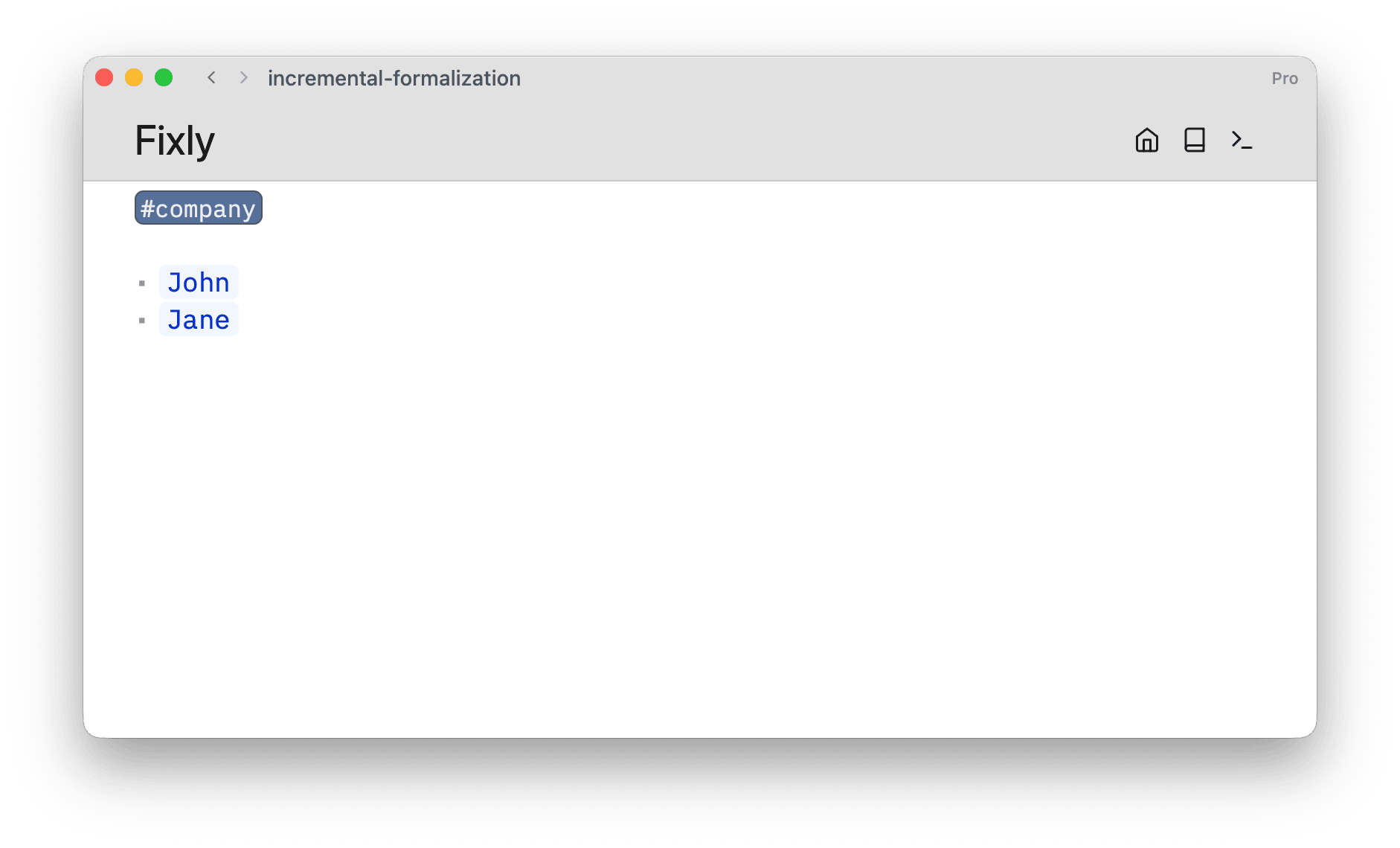 However, your gut tells you that you can do better than this. You don’t want to hand maintain a list — like an animal. Can’t an increment of formalization help here, perhaps?
Funny you should ask. Yes it can. Enter the wonderful world of frontmatter.
We update our John (and Jane) pages by adding a company attribute to their page’s frontmatter:
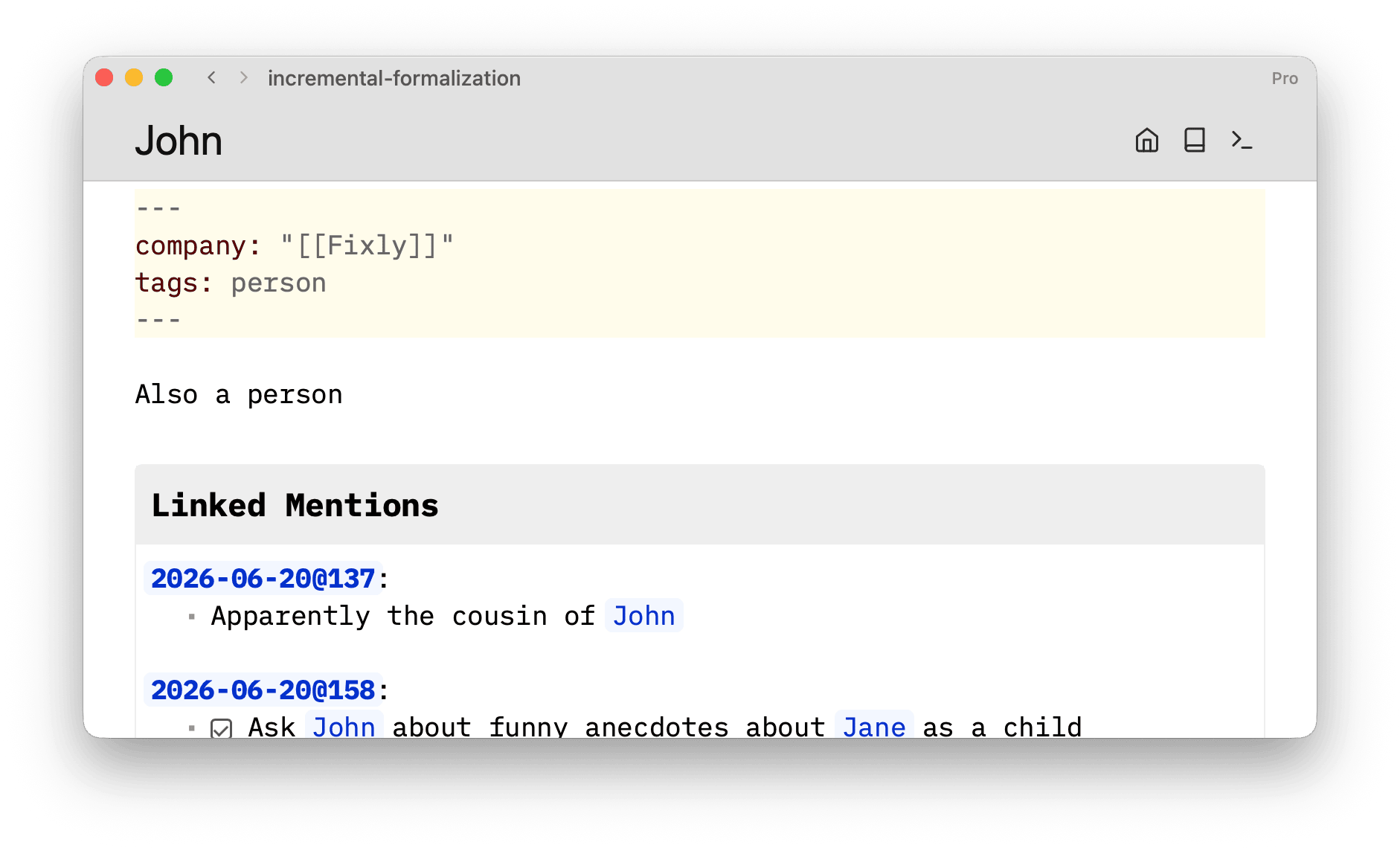 With your slowly building foresight of “I know where this is going”, you even decide to reference the company via a page link, rather than just a plain string. This effort pays off quickly in three ways:
- You got auto complete when typing in the company name this way, because it’s already an existing page in your space.
- This page link is now actually clickable (once your cursor is moved outside the frontmatter section), so it is easy to navigate.
- When you now run the
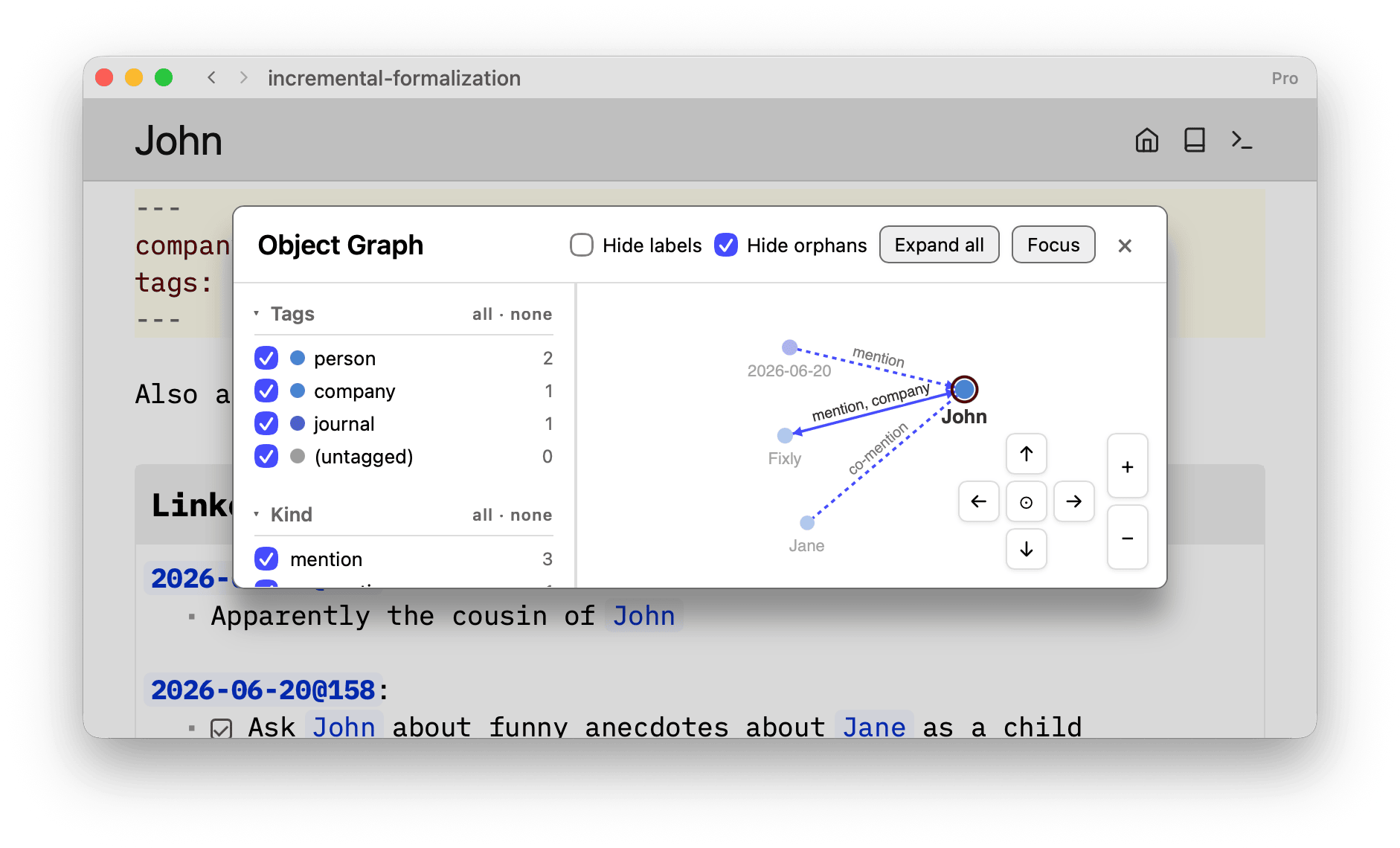
Graph: Explorecommand for a quick hit of visual eye candy, the object graph view opens and visually confirms how John relates to Fixly: it’s a “company” relation.
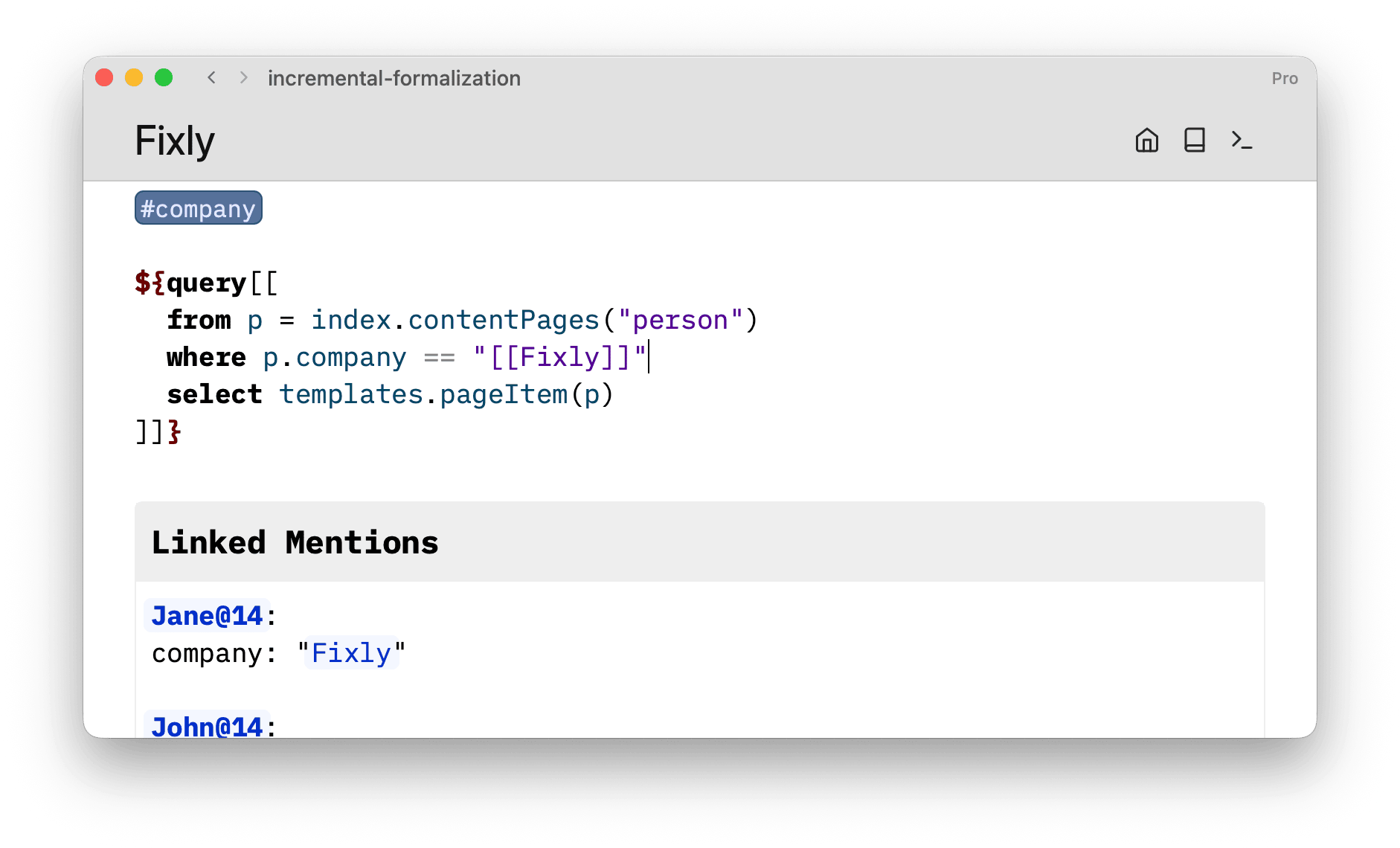
You navigate back to your Fixly page, and replace your manual list of employee links with a query: for all content pages tagged with person, where their company is Fixly, render me a page link as a (silver) bulleted list.
 which expands into:
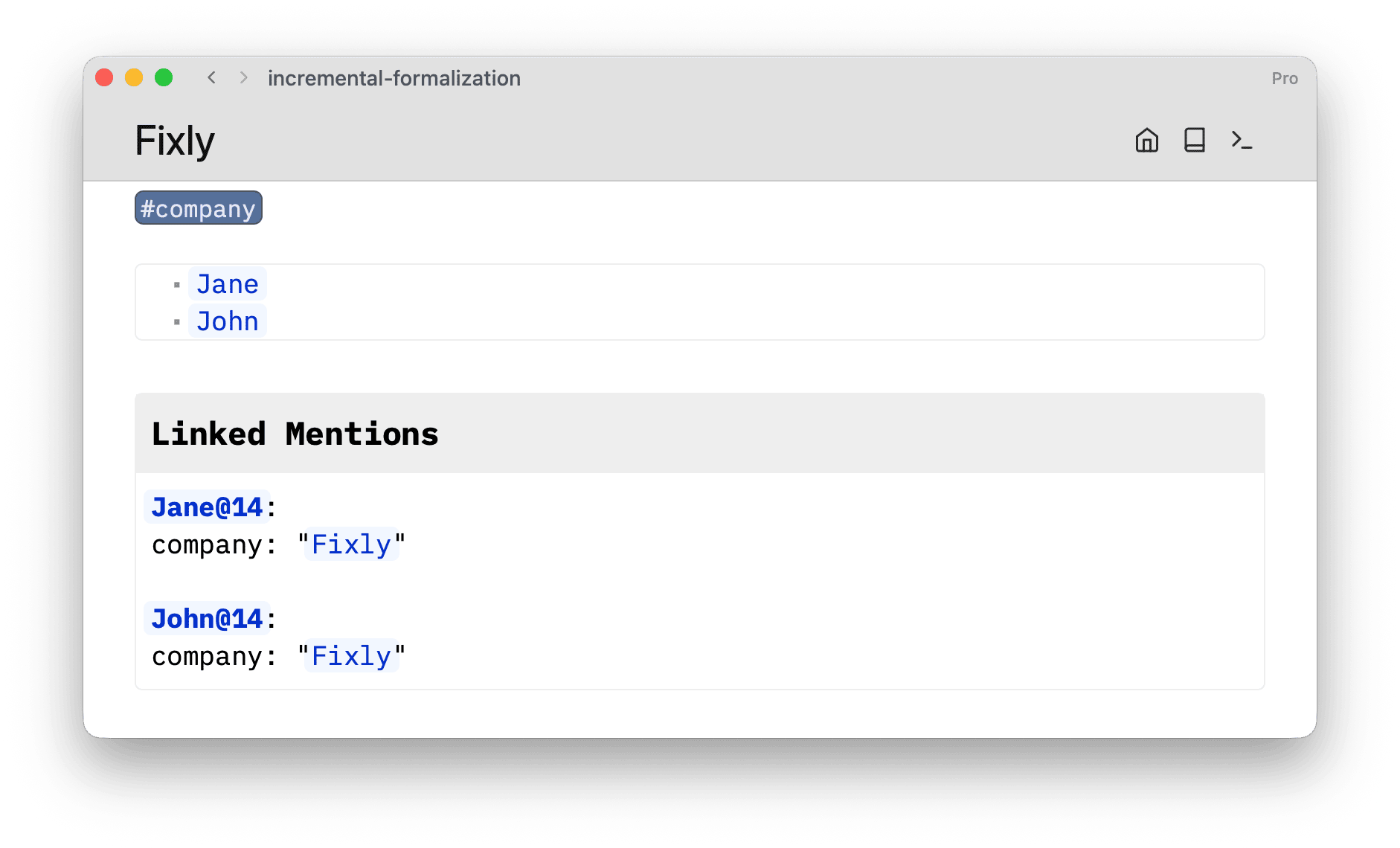 … and will automatically update as you meet more friendly Fixly people.
Level 5: Schemas
Now, on to the #pro level of formalization: tag schemas. This will require us to write some Space Lua code.
We create (or update) our CONFIG page, and add a little Space Lua script:
# Tag definitions
For the control freaks.
```space-lua
tag.define {
  name = "person",
  schema = {
    type = "object",
    properties = {
      company = schema.string(),
    },
  },
}
```
This will (soft) enforce that the company attribute has to be a textual value (a string) for pages tagged with person. While we’re working on our tag definition anyway, we decide to have some fun, and leverage Page Decorations to tweak the look of our person-tagged page links with a simple transformation:
# Tag definitions
For the control freaks and fun lovin' people.
```space-lua
tag.define {
  name = "person",
  schema = {
    type = "object",
    properties = {
      company = schema.string(),
    },
  },
  transform = function(o)
    o.pageDecoration = { prefix = "🧑 " }
    return o
  end
}
```
We System: Reload, then Space: Reindex, and voila!, as the Canadians say.
This gave us three things:
- Auto complete and a hints for this attribute when creating a page with a
persontag: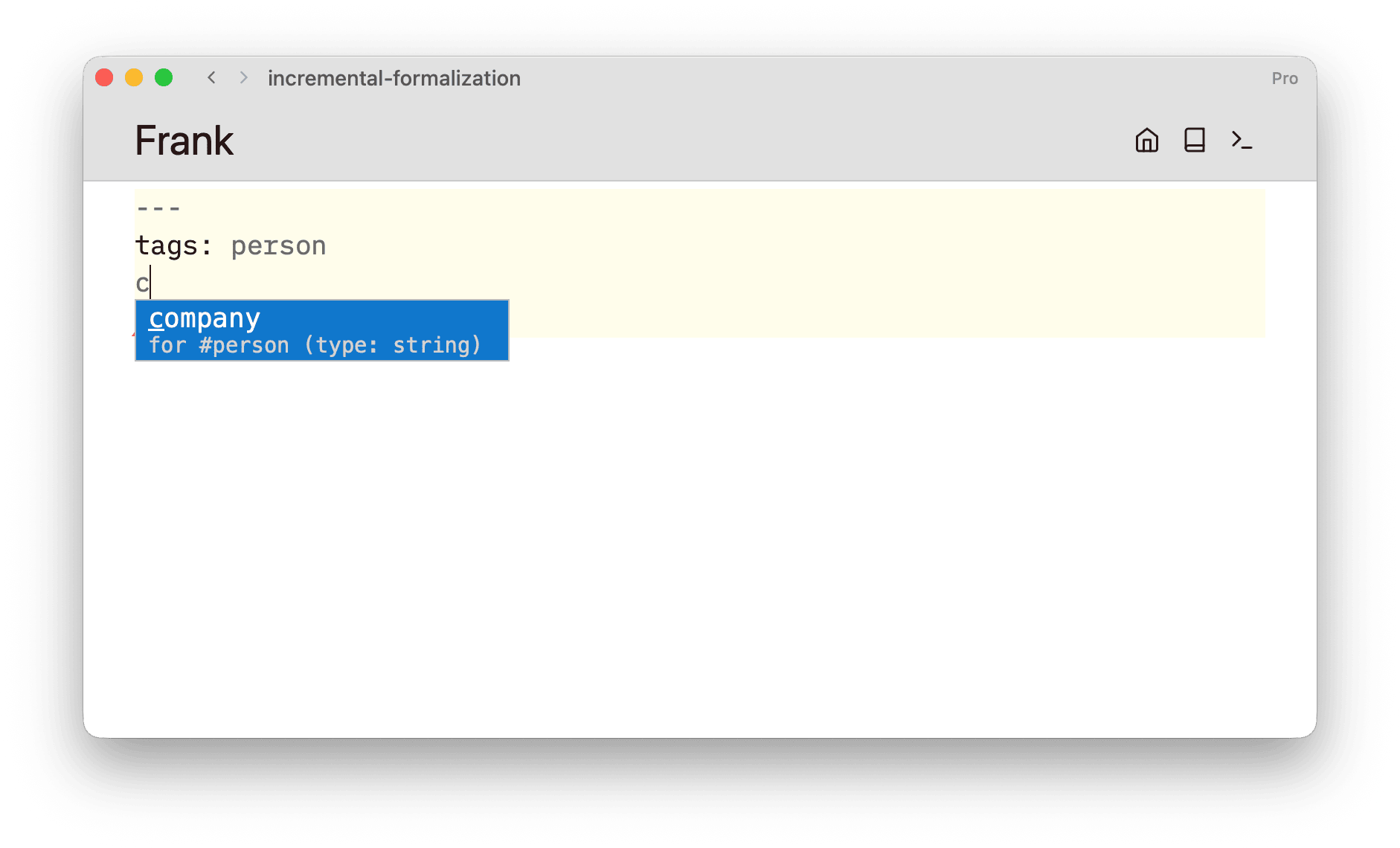
- A validation error, when we enter a wrong type of value:
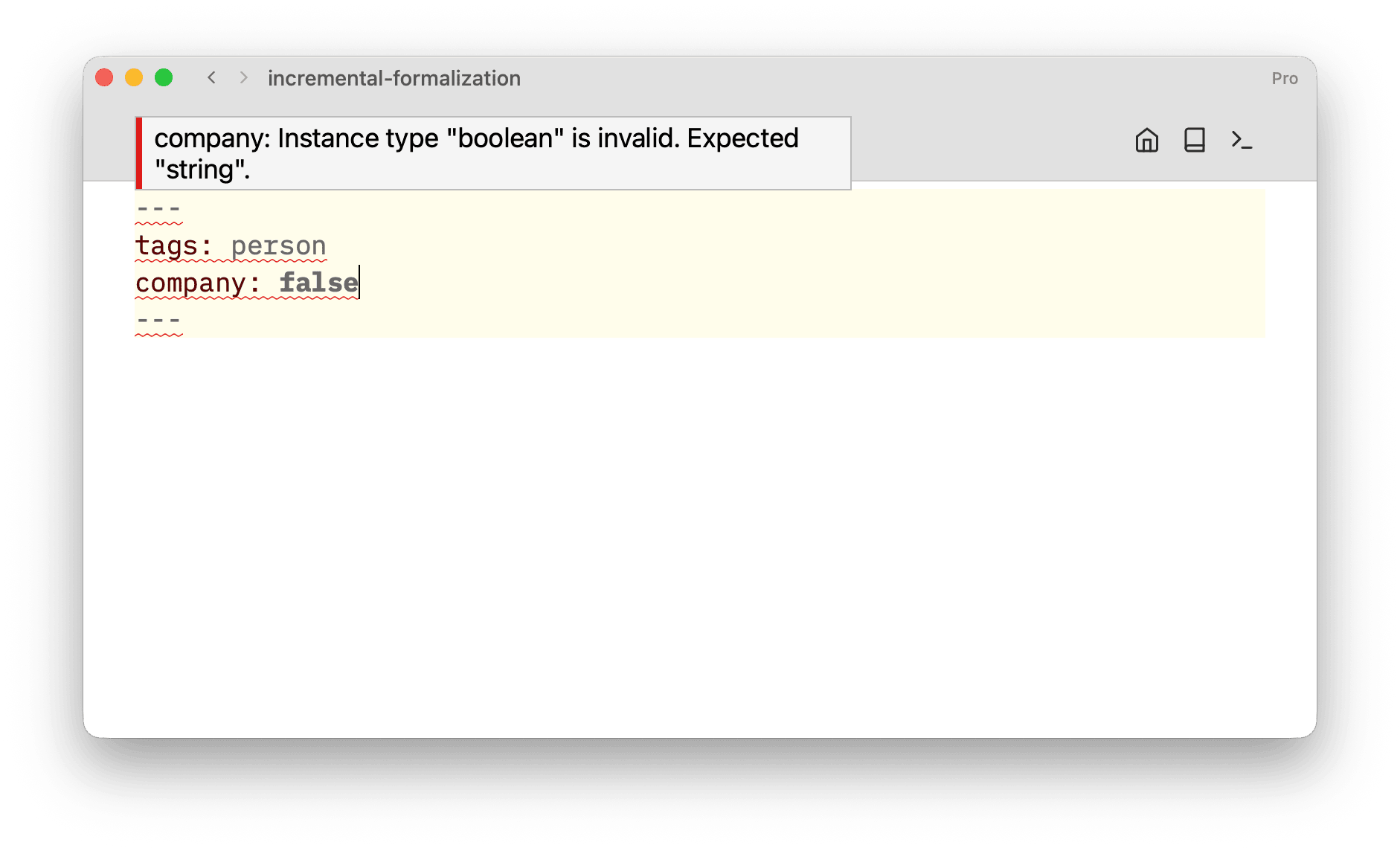
- And now the fun part, 🧑 on all person-tagged pages!
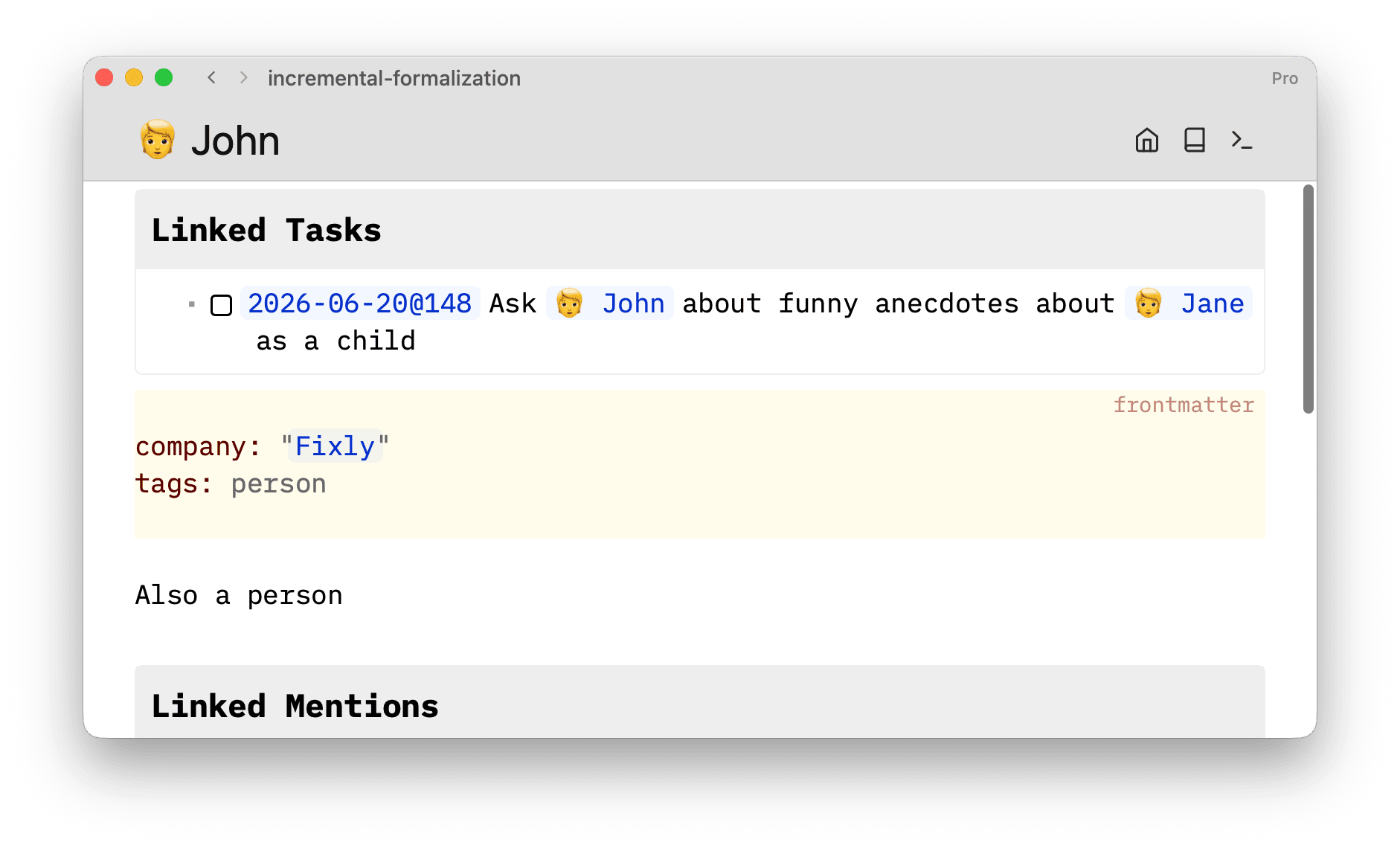
Oh, the party people that we are.
Bob’s Your Uncle3
So there you have it. Incremental Formalization applied to note taking in SilverBullet. The most sophisticated-sounding way to describe your chaotic (but incrementally less so) note taking habit. I recommend that you start practicing an appropriately sophisticated facial expression to put on, once somebody looks over your shoulder and asks the inevitable.
“Ah, another SilverBullet user! What’s the note taking system that you’re using?”
Footnotes
-
Phrase courtesy of The Mandalorian, copyright Lucas Arts, part of Disney Corp Inc Ltd z o.o. ↩ ↩2
-
I’m altering history here slightly for the purposes of a better story. A big reason why I omitted a file tree originally was that it seemed quite hard to build a super robust one, but let’s pretend this was all part of the plan. ↩
Subscribe to No SilverBullet
Get new posts by email. No spam, unsubscribe anytime.
Prefer a feed? Grab the RSS feed.